Is There Free HDR Software Without Watermarks? (2026)
Quick Answer: Yes. Luminance HDR is completely free and open source, and it never adds watermarks to your exports. The catch is that many programs marketed as “free HDR software” are actually limited trials — once the trial ends or you process RAW files, they stamp a watermark on the output. Check the license before investing time learning a tool.
The Watermark Trap: “Free” Doesn’t Always Mean Free
Search for free HDR software and you’ll find plenty of downloads that cost nothing upfront. But photographers keep running into the same frustration, and it shows up repeatedly in forums: you spend an evening learning a program and merging a shoot, and only at export time do you discover the catch. The most common versions of the trap:
- Trial watermarks: the software is a time-limited trial wearing a “free download” costume. Exports come out with a logo stamped across them until you pay.
- RAW penalties: JPEG merging works fine, but the moment you feed the program RAW files — the files serious photographers actually shoot — a watermark appears or export is disabled.
- Resolution caps: no visible watermark, but “free” exports are limited to small sizes unsuitable for printing or client delivery.
None of this is disclosed on the download button. It’s disclosed, if at all, three screens deep in the trial terms.
How to Tell Truly Free Software Before You Download
You can spot the difference in about thirty seconds if you know what to look for:
- Check the license, not the marketing. “Open source” with a named license (GPL, MIT, Apache) means the software is genuinely free — the license legally guarantees it. “Free download,” “free version,” or “free trial” without a license name means limited.
- Look for the word “trial.” If the pricing page mentions a trial period, day limits, or “pro” unlocks, assume exports are restricted until you pay.
- Search “[program name] watermark” before installing. Other photographers have already hit the wall and written about it. Two minutes of searching saves an evening of wasted work.
- Test export on day one. Before learning any new HDR program, merge three throwaway brackets and export. If there’s a watermark, you want to know now, not after a real shoot.
Free HDR Software and Their Watermark Policies
| Software | License Model | Watermark on Export | What to Know |
|---|---|---|---|
| Luminance HDR | Open source (GPLv2) | Never | Fully free, including RAW and batch; no tiers at all |
| Hugin | Open source (GPL) | Never | Free panorama stitcher with exposure fusion |
| GIMP | Open source (GPLv3) | Never | Free finishing/retouching; pairs with Luminance HDR |
| Typical “free trial” HDR editors | Time-limited trial | Often, after trial or on RAW export | Always read the trial terms before investing time |
The Safe Answer
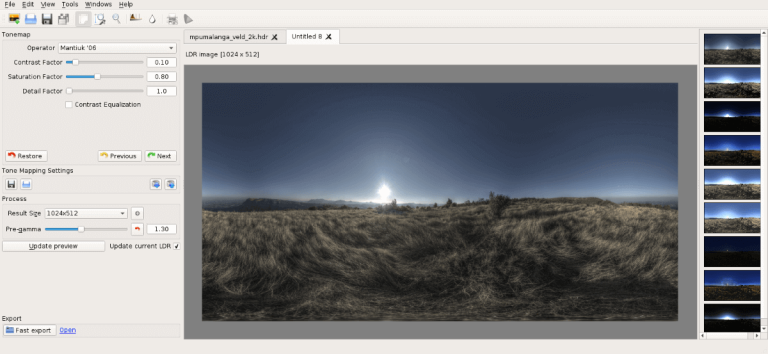
If you want to skip the detective work: download Luminance HDR. It’s open source under the GPLv2, which means no watermarks, no trial clocks, no resolution caps, and no “pro” upsell — on JPEG, TIFF, or RAW, today or ten years from now. For a broader comparison of your options, see our best HDR software roundup.
Frequently Asked Questions
Is Luminance HDR really watermark-free?
Yes. It’s open-source software under the GPLv2 license, and it never watermarks exports — not on JPEG, TIFF, or RAW, and not after any time limit, because there is no time limit and no paid tier.
Why do free trials add watermarks?
It’s the business model: the watermark is the incentive to pay. Trials are marketing tools designed to convert you into a customer, so the vendor deliberately makes the free output unusable for real work.
Can I remove a watermark from a trial export?
There’s no legitimate way — that’s the point of the watermark. The practical fix is to re-export your brackets in genuinely free software like Luminance HDR rather than fighting the trial’s restrictions.
Is open-source software always watermark-free?
In practice, yes. Community-maintained open-source editors like Luminance HDR, Hugin, and GIMP have no commercial incentive to watermark your work, and their licenses guarantee the software stays free. Always verify the license, but GPL-family software is the safest bet in photography.
What’s the catch with Luminance HDR being free?
The catch isn’t in the price — it’s in the polish. The interface looks dated and the learning curve is steeper than a commercial one-click app. You trade some convenience for software that never watermarks, never expires, and never upsells you.
Disclosure: Luminance HDR is free and open source (GPLv2). This page contains no affiliate links.